VOLTA

Your MG EV, live on your phone

Battery, real range and charging at a glance. Tell it where you're going and it picks the fast chargers, a backup for each one, and somewhere to eat that's open when you get there. It's free, and the code's on GitHub.

Version 0.1.2 · Android 10 or newer
For MG electric cars in India. Only tested on the Windsor EV so far. Not affiliated with MG Motor India.
Volta stores nothing on any server. Your sign-in, Google key and settings live only on your phone, so uninstalling deletes them. Reinstall and you set it up again.
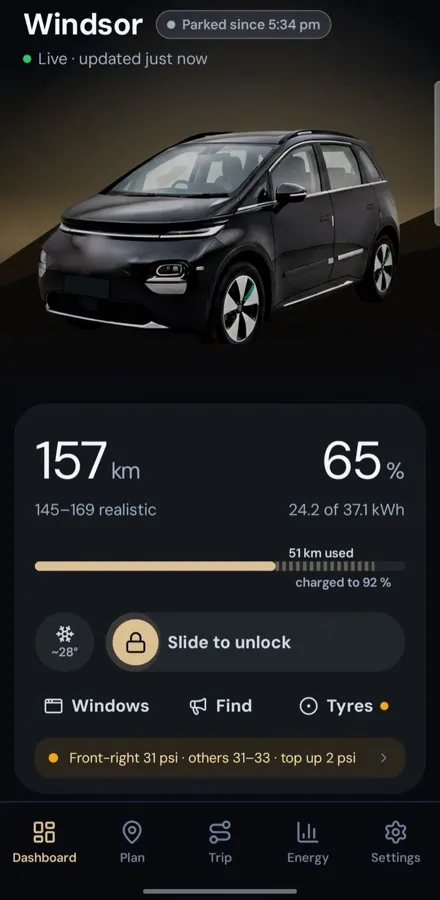
Volta screen: the dashboard
Your car, liveRange you'll really get, charge, locks and tyres, read straight from the car.
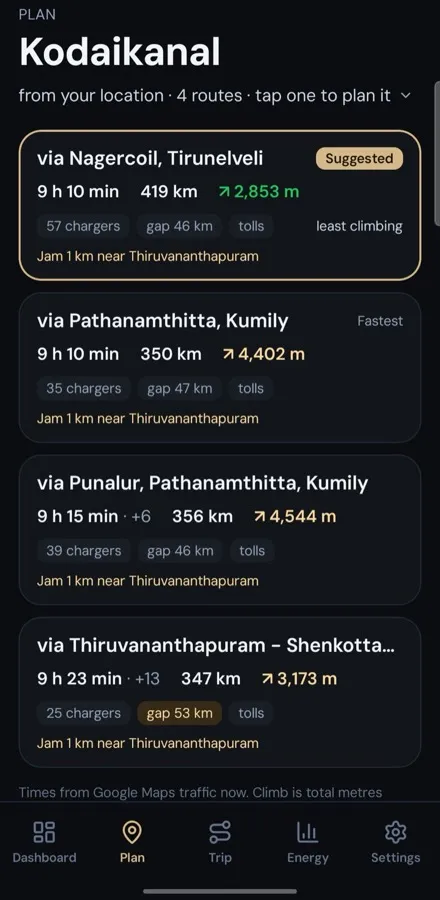
Volta screen: pick a route
Pick a routeUp to four routes, each with its climb, the longest gap between chargers, and traffic.
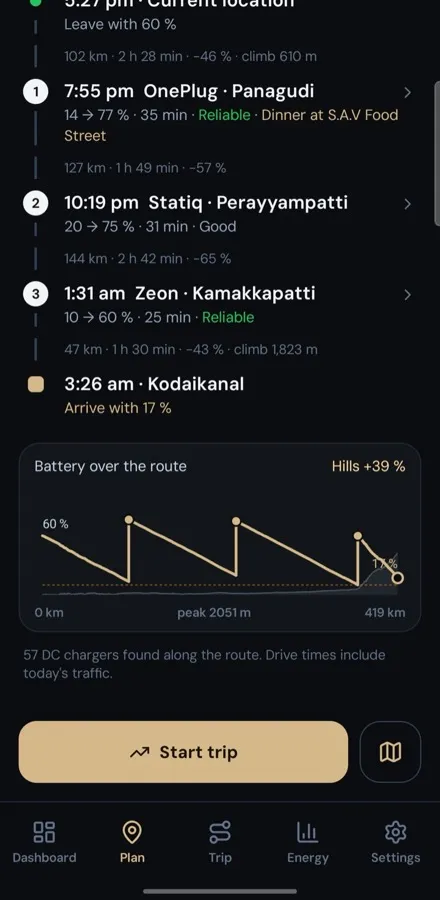
Volta screen: see the hills
See the hillsBattery along the route, hills included.
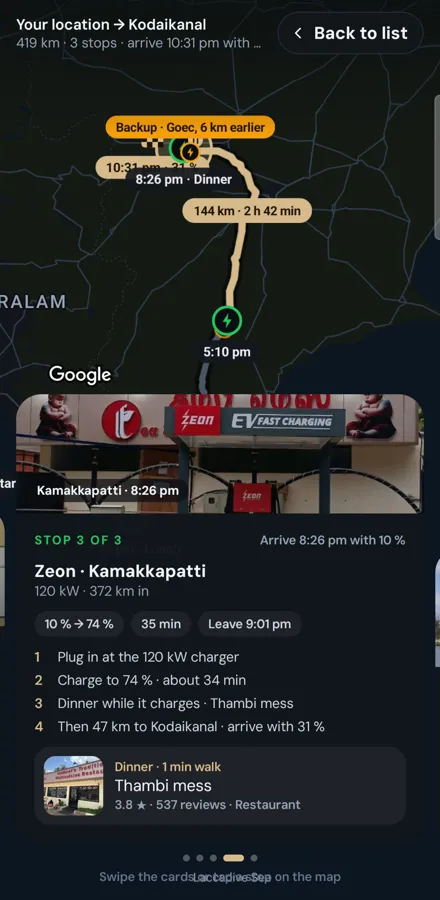
Volta screen: the trip on a map
Map viewEach stop on the map, with its backup and where to eat.
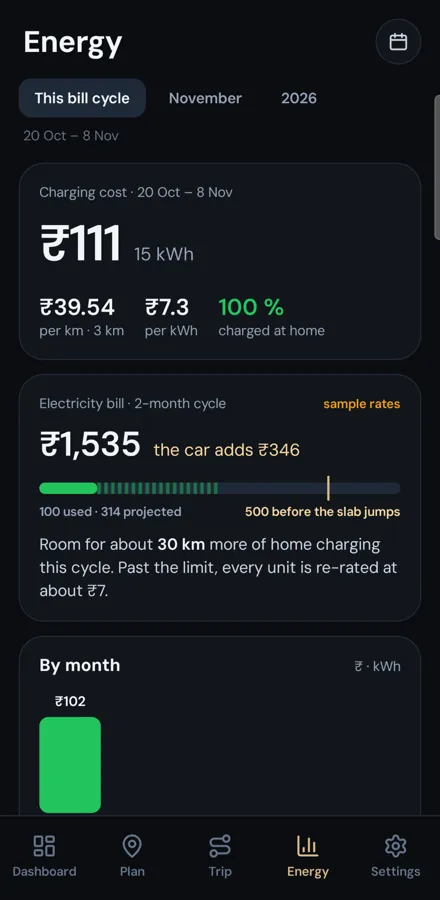
Volta screen: what charging costs
What charging costsHome charging in rupees, on your real tariff.
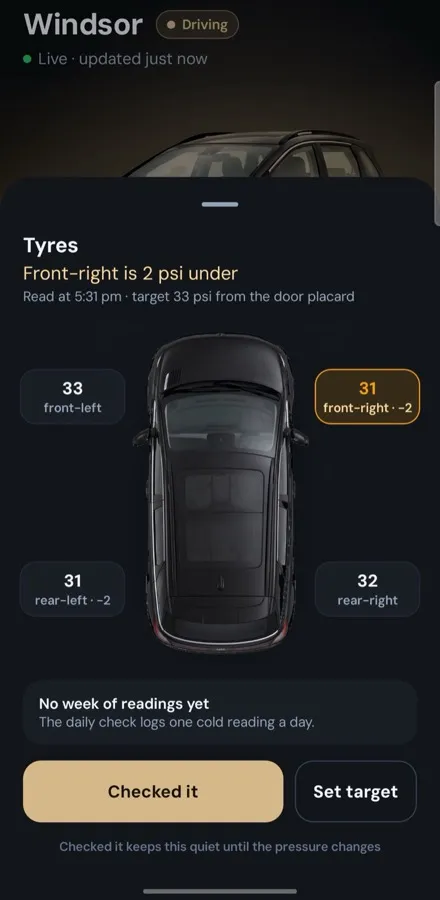
Volta screen: tyres
TyresSpots a slow puncture before it's flat.
What it does

Built for long drives in an EV

Real range for the road aheadIt counts every metre of climbing on the way, your speed and how you actually drive. The dashboard's number doesn't.
Trip plans with charging and foodVolta checks every fast charger along the route, picks the ones worth stopping at, adds a backup for each, and finds food that's open when you'll be there.
Behind-plan alertsIf the battery drops below the plan, you'll hear about it, with a new plan from where you are.
Home charging costEvery session priced on your electricity tariff, slab by slab.
Your Exicom home chargerStart and stop an Exicom Spin home charger over Bluetooth, right from the dashboard. Only the Spin is supported for now.
Tyre watchSpots one tyre sitting 2 psi under the others before it's a flat.
Pre-cool, on your say-soSuggests cooling the car before you walk out. It always asks first.
What you need

Three things

An MG EV with i-SMARTAnd its owner login (India). Shared accounts don't get battery data.
An Android phoneAndroid 10 or newer.
Your own Google Maps keyFor trip planning. Google's monthly free usage covers one person. How to make one
Install

Five steps, about ten minutes

  1. Download the APK on your phoneTap Download APK above.
  2. Allow installs from your browserAndroid asks once: "Install unknown apps" → allow.
  3. InstallPlay Protect may warn because it isn't from the Play Store. The full source is on GitHub.
  4. Sign in with your i-SMART number and passwordUse the owner number. Volta and the MG app can't both be signed in to it, so in the MG app add a secondary user for yourself and sign the MG app in with that.
  5. Paste your Google key and tap Check keyIf Google says no, Volta shows the exact setting to fix.
Check your download (optional)

Compare the file's SHA-256 with the one below. On a computer: shasum -a 256 volta.apk

SHA-256 · ea2c1bb56c9fd1851876237b51526644b3d8a0875f07841c97782028d1190c36
Your data

No Volta servers. Nothing leaves your phone except to MG and Google.

Your car's data comes from MG's i-SMART service, the same one the MG app uses, with your own login. Volta shows it to you and keeps it on your phone.

Your MG password and Google key are encrypted with AES-256 on the phone and never backed up. There's no account with us and no analytics.

Before you uninstall

Volta doesn't store anything on our side. Everything you configure, your MG sign-in, your Google key and every setting, exists only on your phone. Uninstalling the app deletes all of it, and there is no backup or account to restore from. If you install Volta again, you configure it again from the start.

Privacy details
Honest notes

A personal project

I built Volta for my own MG Windsor EV, the 38 kWh one, and it's the only car I've tested it on. Other MG EVs should sign in. I've added pictures of the Comet, ZS EV, M9, Cyberster and Hector Tomahawk, and only the 360° view is still pending for them, but I haven't run Volta on any of those cars. Tell me what works.

MG counts wrong passwords against a daily limit, so Volta never retries a rejected one and won't sign in more than 3 times an hour. If it fails, check the password in the MG app first.

Use at your own risk. Not on the Play Store.